TL;DR
- This blog is written for job seekers in India and globally who are applying online but not getting shortlisted — this guide explains what a resume scanner is and how to use one to fix that problem.
- Most companies, including major MNCs and Fortune 500 firms, use ATS software to filter resumes before a human recruiter ever sees them — meaning your resume could be rejected by a bot.
- A resume scanner mimics how ATS software reads your resume, checking for keyword matches, formatting issues, and section completeness.
- A free resume scanner test takes under 2 minutes and gives you an ATS score, missing keywords, and specific fixes — no guesswork needed.
- Fixing your resume based on scanner feedback is one of the highest-ROI actions you can take in your job search — small changes can significantly improve your interview call rate.
Related Blogs:
- CV Format 2026: Tips & Templates for a Winning Resume
- Resume Format for Freshers: Best, Simple Examples for Jobs
- Personal Details on a CV: What to Include, What to Skip, and How to Format Them
You have applied to 30 jobs. You haven't heard back from most of them. Your resume is well-written, your experience is solid, and yet — silence.
The problem might not be your qualifications. It might be that your resume is getting rejected before any human even reads it.
This is where a resume scanner comes in. It's one of the most underused tools in a job seeker's toolkit — and once you understand how it works, you'll never submit a resume the same way again.
What Is a Resume Scanner?
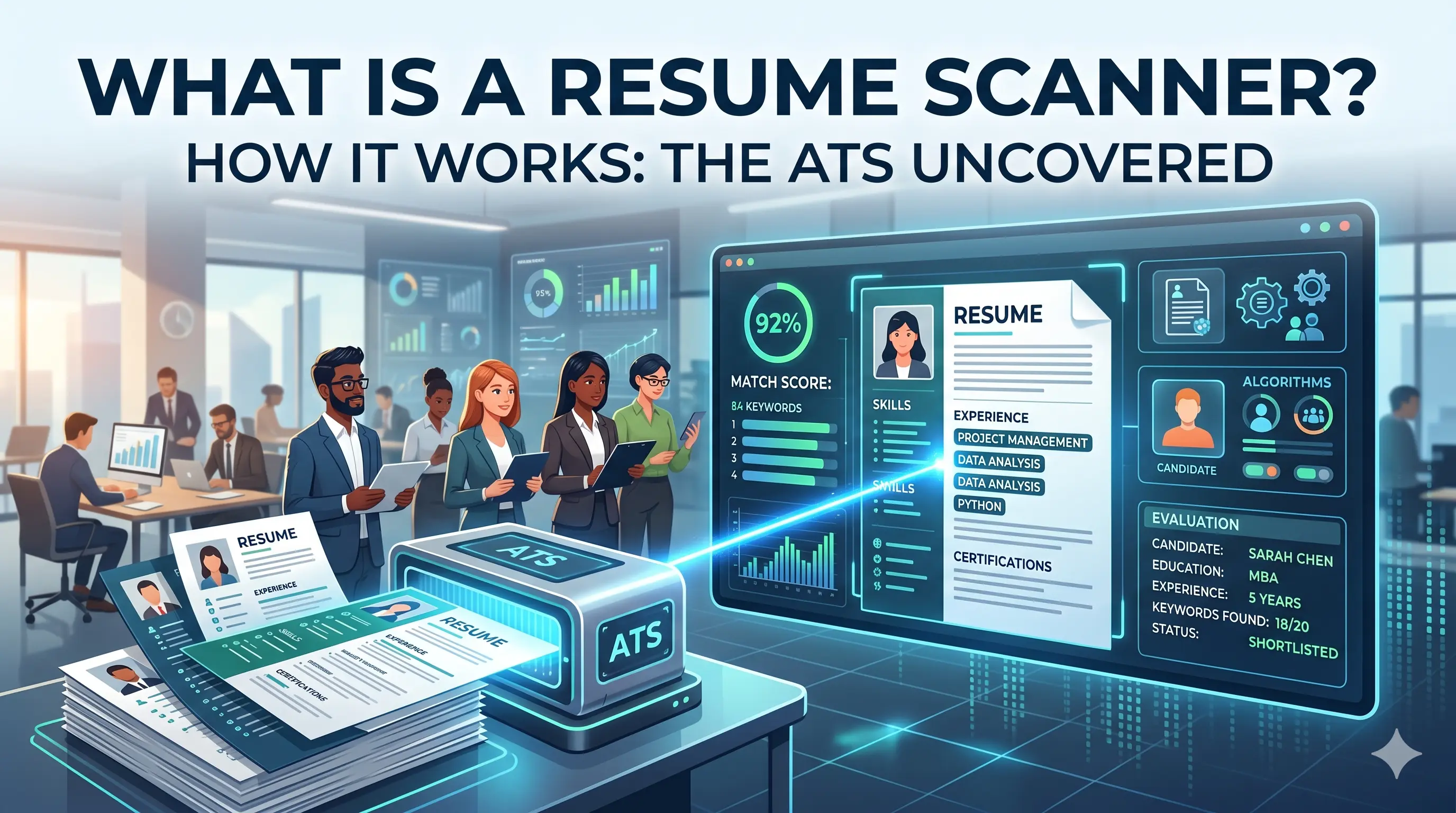
A resume scanner is an online tool that analyzes your resume the way an ATS (Applicant Tracking System) would. It checks your document for keyword coverage, formatting compatibility, section structure, and overall job match — then gives you a score and a list of improvements.
Think of it as a dress rehearsal before the real show. Before your resume goes in front of an ATS at a company, you run it through a resume scanner to catch all the problems that would have gotten you filtered out.
These tools are used by job seekers worldwide, and they've become especially important in India as hiring at large IT companies, MNCs, consulting firms, and even mid-sized startups has moved almost entirely online — which means ATS is almost always in the picture.
What Is an ATS and Why Does It Matter?
Before you can fully understand how a resume scanner works, you need to understand what it's mimicking.
An ATS, or Applicant Tracking System, is recruiting software that companies use to collect, organize, and filter job applications. It parses a resume's content into categories and then scans it for specific and relevant keywords to determine if the application should be passed along to the recruiter.
Key ATS Statistics:
- Approximately 99% of Fortune 500 companies rely on ATS software to streamline recruitment
- Around 35% of small businesses now use ATS — and that number is rapidly growing
When you submit your resume through an online job portal — whether it's LinkedIn, Naukri, Indeed, or a company's own careers page — there's a very good chance it goes straight into an ATS database. If your resume doesn't contain the right keywords in a format the ATS can read, it gets buried. Not deleted — just never surfaced to a human recruiter.
How Does a Resume Scanner Work?
A resume scanner works by simulating what happens inside an ATS when it processes your document. Here's the step-by-step breakdown:
Step 1: Parsing — Reading Your Resume as Plain Text
The first thing any resume scanner does is extract the text from your document and read it as plain text, trying to understand your work experience, skills, company names, and dates in a structured way. This is why formatting matters so much. If your resume includes complex tables, columns, or heavy design elements, the system can misread or scramble the content.
Step 2: Keyword Matching Against the Job Description
Once your resume is parsed, the scanner compares it against the job description you provide — checking hard skills, soft skills, and industry buzzwords from the job listing against your resume. The result is a match score. A match rate of 65–75% is recommended. Going above 75% by stuffing keywords isn't advisable — over-optimization can hurt readability for human reviewers.
Step 3: Formatting and Structure Analysis
Beyond keywords, a good resume scanner also checks whether your resume is formatted in a way ATS can properly process. Common checks include:
- Whether you're using standard section headings like "Work Experience" and "Education"
- Whether your fonts are ATS-readable (Arial, Calibri, Garamond)
- Whether you have tables, text boxes, columns, headers/footers, or embedded images that may confuse the parser
- Whether your file type (PDF vs DOCX) is compatible with the employer's system
Single-column layouts are safer. Tables rarely get parsed correctly, and scanned documents, pictures, or diagrams should be avoided entirely since the text must be highlightable and readable.
Step 4: Scoring and Recommendations
After parsing and analyzing, the scanner produces a score and a detailed report. Most tools then tell you exactly what to fix — which keywords are missing, which sections are weak, and what formatting changes to make.
What Does a Resume Scanner Test Actually Check?
A comprehensive resume scanner test will typically evaluate these areas:
- Keyword coverage — Are the most important skills and terms from the job description present? Are both the full form and abbreviation included (e.g., "Search Engine Optimization" and "SEO")?
- Hard skills and soft skills — Technical skills matter most for ATS, but the scanner checks both and even flags repetition
- Contact information — Is your name, phone, email, and location properly readable?
- Section completeness — Does your resume have all expected sections: summary, work experience, education, skills?
- Measurable achievements — A good scanner identifies vague wording and prompts you to include precise, quantifiable achievements
- File type and length — Is the file format appropriate? Is the resume too short or too long?
Common ATS Myths That Resume Scanners Help Debunk
Myth 1: ATS automatically rejects resumes with missing keywords
Not entirely true. Keywords affect your ranking in search results, not outright rejection. ATS auto-rejects only when a candidate answers a knock-out question incorrectly — if the recruiter has configured the system to do so.
Myth 2: Heavily designed resumes look impressive to recruiters
They might — but only if a human ever sees them. Heavily formatted and graphically designed resumes are often not scanned and stored correctly by ATS. Design-heavy resumes often fail at the very first step.
Myth 3: ATS decides who gets hired
ATS software doesn't actually rank candidates or decide who is "better." It provides recruiters with tools to filter the database. Every application is still visible to a recruiter — the goal is to make sure your resume surfaces when they search.
How to Use a Free Resume Scanner Test (Step by Step)
Running a resume scanner test is simple and takes less than two minutes:
- Pick a free tool like Elevizo, which offers a quick and effective resume scan with actionable insights.
- Upload your resume in PDF or DOCX format.
- Paste the job description for the specific role you're applying to.
- Click scan and review your match score and detailed feedback report.
- Make the suggested changes — add missing keywords naturally, fix formatting issues, and strengthen weak sections.
- Re-scan to see your improved score before submitting.
The key is to run a fresh resume scanner test for every different job you apply to. A resume optimized for a "Digital Marketing Manager" role will look very different from one targeting a "Performance Marketing Lead" role — even if your background is the same.
What to Do After Your Resume Scanner Test
- Don't chase 100%. Aim for 65–75% match and make sure the keywords fit naturally into your experience. Keyword stuffing is easy to spot during human review.
- Fix formatting first. If the scanner flags tables, columns, or embedded images, fix these before anything else. A clean, parseable resume is the foundation everything else builds on.
- Tailor for each role. The same base resume with minor keyword adjustments per job description will outperform a generic resume every time.
- Re-scan after every major edit. Your score should go up, and so should your confidence before you hit submit.
Scan Your Resume for Free with Elevizo
Get your ATS score, missing keywords, and actionable fixes in under 2 minutes. No guesswork — just results.
Scan My Resume NowConclusion
If you're applying to jobs online and not hearing back, chances are your resume isn't making it past the ATS. A resume scanner gives you a clear, objective view of where your resume stands — and more importantly, what to fix.
The good news? You don't need to pay for this. A free resume scanner test takes two minutes and can completely change how you approach your job search. Stop guessing, start scanning.
Run your first resume scanner test today. Upload your resume alongside the job description you want to crack, and let the data show you exactly what's holding you back. Small fixes, big results.