TL;DR
- This blog is written for job seekers, freelancers, students, and professionals who want to learn exactly how to add a resume in LinkedIn for better visibility and recruiter reach.
- Learn the 3 main methods of LinkedIn resume upload: adding it to the Featured section, uploading during LinkedIn job applications (Easy Apply), and sharing resume content in the About or Media section.
- Get detailed, step-by-step instructions on how to upload a resume on LinkedIn, where to upload a resume in LinkedIn, and how to optimize each section for higher recruiter engagement.
- Understand the pros and cons of resume visibility, professionalism, privacy issues, and risks of outdated information along with tips on how to update resume on LinkedIn across all methods.
- Access practical checklists, optimization tips, common mistakes to avoid, and clear guidance on where to add CV in LinkedIn based on your goals (visibility, privacy, SEO, or job applications).

Introduction: Why Uploading Your Resume in LinkedIn Matters
LinkedIn is no longer a digital Rolodex or online CV. It's the leading professional site recruiters, hiring managers and business partners use to find and assess talent. While your LinkedIn profile is meant to show your professional story, when you upload your resume you are providing your recruiters with a clean, downloadable snapshot of your qualifications that generally reflects what you would send in a job application.
Whether or not you're actively job hunting or silently open to opportunities, knowing how to add a resume to LinkedIn or where to upload a resume in LinkedIn will make your process faster, more professional and more discoverable. This guide includes step-by-step instructions, examples, and a final checklist to ensure everything is polished.
How to Add a Resume in LinkedIn: The 3 Methods
There are several ways to upload your resume on LinkedIn, and these methods have remained consistent over the years. LinkedIn is designed to make networking and job searching easier, so it offers multiple options to showcase your resume effectively.
In this section, we'll walk through each of them, as well as the advantages and limitations of using them, so you can select the approach that best suits your goals.
Quick Roadmap: The 3 Methods Covered
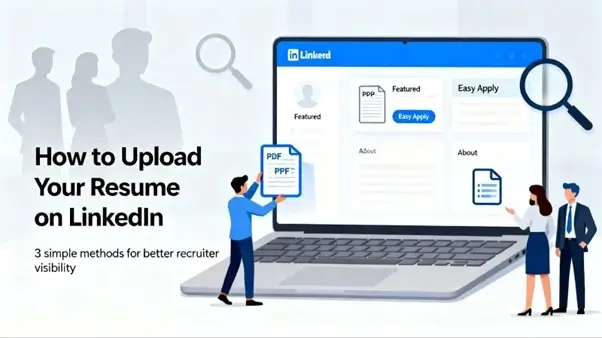
1. Upload to Your LinkedIn Profile (Featured Section)
Best for a downloadable resume that you want visible to visitors.
2. Upload During LinkedIn Job Applications
The standard way recruiters see your resume for a specific role.
3. Share Resume Content via About or Media/Links
Best for SEO, tailored messaging, or when you want portions of your resume visible and searchable.
Method 1: Upload Your Resume to LinkedIn Profile (Featured Section)
Uploading your resume to the Featured section makes it easily accessible to recruiters, hiring managers, and potential collaborators. This way, you can have a public version of your resume available for download that will be prominently featured on your profile often in the section right below your About section. It's ideal for job seekers, freelancers, consultants and anyone who wants to show off a professional snapshot of their experience.
Using the Featured Media Section to Upload Your Resume on LinkedIn
If you want recruiters to be able to easily access your complete resume as it looks on paper, uploading your resume to the Featured Media section is one of the easiest and most effective ways. This feature allows you to upload your resume directly to your profile to be one of the first items a recruiter will notice. Be sure to place it at the top of your Featured section for the most visibility.
Give your uploaded resume a pertinent, highlighted title so that it doesn't get lost in the other documents. If you have multiple items in your Featured section, prioritize placing your resume at the top. You can use clear titles, adjust the thumbnail image, or add subtle color accents to make it stand out to make your visuals eye-catching.
Steps to Upload Your Resume to LinkedIn via Featured Media:
- Go to your LinkedIn profile page.
- On the left-hand side below your name and connections, click the "Add section" button.
- In the dropdown menu, under "Featured," select "Media."
- Choose your resume file from your computer and click Open to upload.
✅ Pros
This way the recruiters can quickly download your full and updated resume without having to contact you first saving them time and giving you an advantage.
❌ Cons
Some recruiters may assume your profile is incomplete if you rely only on the resume instead of fully utilizing your LinkedIn sections. It may also be limiting the potential that the Featured section has to be used to showcase different, high-impact media or achievements.
Why Use the Featured Section for Your Resume?
The Featured section on LinkedIn is one of the most visible parts of your profile and thus, it is just the right place to put your resume. By uploading your resume here, recruiters and the visitors of your profile can access the resume or download it instantly without having to browse through your profile. This is helpful to you to showcase your experience, achievements and professional value upfront.
Benefits of Using Featured Section:
- Increase recruiter visibility
- Provide a clean, downloadable CV for quick screening
- Highlight your most updated professional profile
- Showcase accomplishments and credibility instantly
How to Add Resume in LinkedIn (Featured Section) Step-by-Step
Desktop Instructions
- Log in to your LinkedIn account.
- Click your profile photo and select View Profile.
- Scroll down to the Featured section.
- If you don't see it, click Add profile section → Recommended → Add Featured.
- Click the + icon on the right side of the Featured section.
- Select Add Media.
- Choose your resume file (PDF preferred).
- Add a title (e.g., "John Doe - Marketing Manager Resume").
- Add a brief, keyword-rich description.
- Click Save.
Method 2: How to Use LinkedIn's Easy Apply Feature
LinkedIn's Easy Apply feature is one of the quickest and most convenient methods of submitting your resume for job opportunities. Instead of having to navigate your way through external career portals, with Easy Apply you can upload your resume directly in LinkedIn, answer a few application questions, and submit your details in less than a minute. This method is ideal for applicants that wish to have a streamlined and fast paced application process while having their resume reach recruiters in an efficient manner.
If you're looking for how to upload a resume on LinkedIn, this is the most popular way to do it. Unlike the Featured section where your CV is publicly visible, Easy Apply keeps your CV private and shares it only with the employer whose job you are applying to.
Why Use LinkedIn Easy Apply?
The Easy Apply feature provides several clear benefits:
- Fast applications: No need to create new accounts on employer portals.
- Private resume submission: Your resume is not visible on your public profile.
- Pre-filled info: LinkedIn auto-fills your experience, skills, and basic details.
- Multiple resume uploads: You can upload a tailored resume for each job.
- Saved resumes: LinkedIn may save your previously used resumes for future applications.
If you're wondering where to add CV in LinkedIn without making it public, this method is ideal.
Steps to Upload Resume Using Easy Apply:
- Log in to your LinkedIn account.
- Navigate to the Jobs tab on the top menu.
- Search for a job using keywords, titles, or locations.
- Open a job that displays the Easy Apply button.
- Click Easy Apply.
- A pop-up form will appear. Look for the section labeled Upload Resume or Attach Resume.
- Click Upload and choose your tailored resume (PDF or DOCX).
- Fill in any required fields (experience, phone number, screening questions).
- Review your information.
- Click Submit Application.
How to Update Resume on LinkedIn (All Methods)
Keeping your resume up to date on LinkedIn is important to make sure that recruiters receive the most up-to-date version of your skills, experience and accomplishments. No matter if your resume gets added to the Featured section, saved in LinkedIn job applications, or shared through the About section, updating your resume is easy. Below will be all the ways that you can update your resume throughout LinkedIn.
1. Update Resume in Featured Section
If you previously uploaded your resume here, the old file remains visible until you replace it.
Steps:
- Go to your profile and scroll to the Featured section.
- Click the pencil icon to edit.
- Remove the old resume.
- Click Add Media to upload your updated resume.
- Add a new title and description.
- Save.
2. Update Resume for Job Applications
LinkedIn often stores resumes you upload through Easy Apply.
To update it:
- Apply for a new job via Easy Apply.
- When LinkedIn shows a previously uploaded resume, click Upload Resume to add a new version.
- LinkedIn will save this updated resume for future submissions.
3. Update Resume in About Section
If you added resume content or a document in your About section:
- Go to your profile → click the pencil icon near About.
- Update the text with new achievements, skills, or roles.
- Remove outdated links or media and upload the updated file.
- Save.
4. Update External URL Resume
If you linked to your resume on Google Drive, Dropbox, or a website:
- Simply replace the old file on the storage platform with the new version (keep the same file name).
- The LinkedIn link will automatically show the updated resume.
Should You Upload Your Resume on LinkedIn? Pros & Cons
Uploading your resume on LinkedIn can be a good thing, but there are some considerations. Whether you plan to add your resume to the Featured section of your profile, upload it during Easy Apply applications or share it in the About section, it's important to know what you have gained and what you have risked. Here's a balanced breakdown to help you make up your mind.
Pros
1. More Visibility
Adding your resume to LinkedIn makes it more likely that you will be found by recruiters, hiring managers and business owners. A downloadable resume that is available in the Featured section makes it easier for visitors to get a full snapshot of your experience without having to scroll through your entire profile.
2. Easy for Recruiters
Recruiters often review dozens of profiles in a short period of time. Having a resume on hand makes their process faster and provides them with a standardised document to assess.
3. Shows Clarity and Professionalism
Uploading your resume is a sign that you are ready, well-organized, and confident about being on your professional path. A well-formatted PDF in the Featured section brings credibility and makes your profile more complete.
Cons
1. Privacy Concerns
A resume posted to your profile may become available to anyone that has access to your LinkedIn page. This means personal information such as phone numbers, email and employer history can be publicly available.
2. Resume May Become Outdated
Your profile might stay updated, but your uploaded resume might not. If you forget to replace older versions, recruiters may download and evaluate an outdated resume.
3. Recruiters Might Skip Your Profile Details
When your resume is easily available, some recruiters may rely solely on it and skip reviewing your rich profile content recommendations, endorsements, skills, achievements, or portfolio links.
Privacy, Visibility, and When Not to Upload Your Full Resume
Public vs Private Concerns
- A resume in the Featured section or About becomes visible to anyone who can view your profile—recruiters, competitors, or public visitors.
- Avoid sensitive personal details: full address, national ID numbers, passport numbers, or banking info.
- If you have privacy concerns, prefer uploading during targeted job applications rather than keeping a public Featured resume.
Alternatives to a Public Upload
- Provide a shortened resume or a summary in Featured and offer a downloadable full CV via a link that is password-protected or shared upon request.
- Use "Open to Work" settings and selectively share a resume only with applicants or recruiters.
GDPR and Geographic Considerations
If you're in a region with strict privacy regulations, consider whether publicly sharing personal data is necessary. LinkedIn is designed for professional sharing, but practice restraint.
Make Your LinkedIn Resume Discoverable
1. Use Targeted Keywords
Use the keywords you want recruiters to find you for across your Headline, About, Experience, and Skills sections.
Example: If applying for "data scientist" roles, include specific technologies: "Python, Pandas, Scikit-Learn, SQL, machine learning, A/B testing."
2. Align Resume Content with Profile Copy
Ensure there are no contradictions: dates, job titles, and companies should match across resume and profile. Recruiters may cross-check; inconsistencies reduce trust.
3. Structured Content and Measurable Achievements
Bulleted accomplishments with numbers stand out: "Reduced churn by 18% over 12 months," "Managed $2M product budget," etc. These are attractive both to humans and ATS.
4. Use Endorsements and Recommendations Strategically
Add recommendations that mirror achievements in your resume. A recommendation that mentions specific outcomes acts as social proof of your resume claims.
Common Mistakes to Avoid When Uploading Your Resume in LinkedIn
- Uploading an outdated resume - Always check dates and roles.
- Using inconsistent job titles - Keep titles the same across profile and resume.
- Over-sharing personal data - Leave out sensitive info.
- Not tailoring resumes for applications - Generic resumes perform worse when applying.
- Relying only on Featured resume - Recruiters use many signals; keep your profile and resume aligned.
- Wrong file type or bad formatting - Avoid exotic fonts, poor margins, and images that break ATS parsing.
Choose the Right Method for Your Goals
Uploading your resume on LinkedIn is a strategic move. If you want to get your clean, downloadable CV, which recruiters can access at any time, to the Featured section. If your goal is to be able to apply to specific jobs in a timely way and make each submission specific, use LinkedIn job application uploads. If discoverability and keyword optimization is of most importance, place the resume highlights in the About section or add links to hosted CVs.
Keep profile and resume always consistent and optimized with keywords, be aware of privacy. With the three methods outlined here and the optimization and update best practices you'll be able to control how your resume in LinkedIn is shared, found and used by the people who matter most in your job search.
Final Checklist
- Featured resume uploaded, named, and described
- Tailored resume ready for job applications
- About section optimized with keywords
- Profile and resume consistent across dates and titles
- Sensitive information removed from public documents
Final Thought
Uploading your resume to LinkedIn is not just a simple attachment, it's a strategic move that will directly impact how recruiters find, assess and tackle you. Whether you choose to make your resume public in the Featured section or whether you want to keep it private through Easy Apply or whether you want to optimize some of the information through your About and Media sections, the key is to let it be clear, consistent, and relevant.
Your LinkedIn profile and your resume need to work together as a great personal branding tool. Keep both current, aligned, and optimized with the right keywords to ensure that you provide the most accurate version of your professional story to recruiters. Used smartly, LinkedIn becomes both a networking platform and a silent job-search partner that increases your visibility credibility and chances of landing the right opportunities.